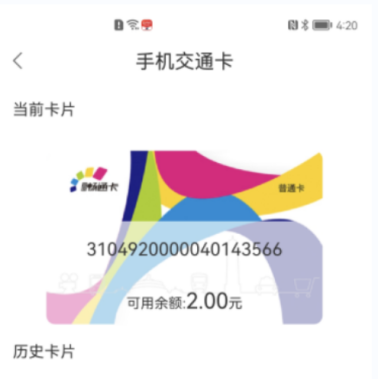
Guide to Setting Up a Virtual Chongqing Transit Card on Mobile Phones
I. For iPhone Users
You can add a Virtual Chongqing Transit Card to your iPhone in the following two ways.
(I) Using Apple Wallet
1. Open the Apple Wallet App on your iPhone.
2. Tap the “+” button at the top of the screen to add a card.
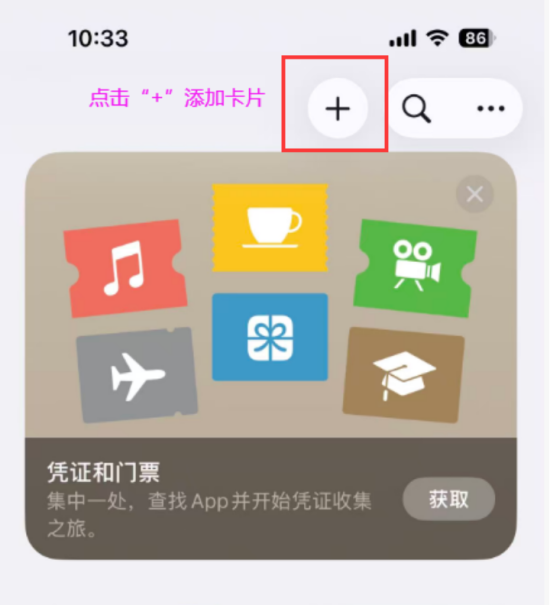
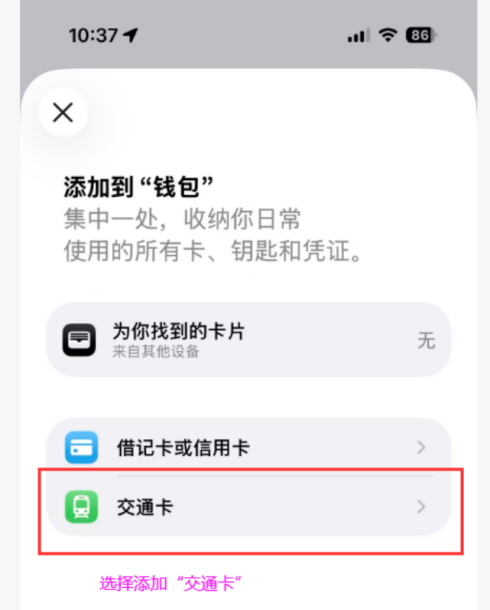
3. Tap the “交通卡” (Transit Card).
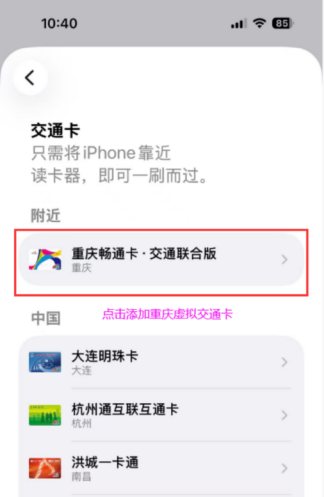
4. Select the “重庆畅通卡·交通联合版” (Chongqing Transit Card). (Note: If location services are enabled on your phone, the choice will be displayed at the top of the recommended list. If location services are disabled, you need to find it from the list below.)
5. Tap to enter the “重庆畅通卡·交通联合版” (Chongqing Transit Card) page, then select or enter the top-up amount (minimum RMB10). Tap “添加” (Add) to start setting up the Virtual Chongqing Transit Card. No card fee or deposit is required for setting up the Virtual Chongqing Transit Card. The top-up fee will be paid through Apple Pay.
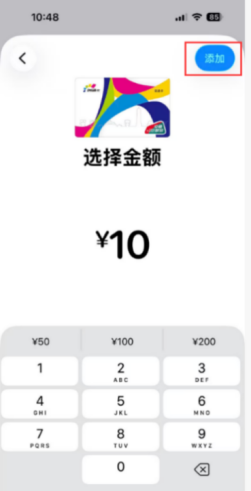
6. After successful setup, the “重庆畅通卡·交通联合版” (Chongqing Transit Card) will appear in the card list in the Wallet App. You can then tap to ride.
(II) Using “渝通行” (Yutongxing) App
1. Download and open the “渝通行” (Yutongxing) App from your mobile App store.
2. After registering and logging in to the App, select “手机交通卡” (Mobile Transit Card).
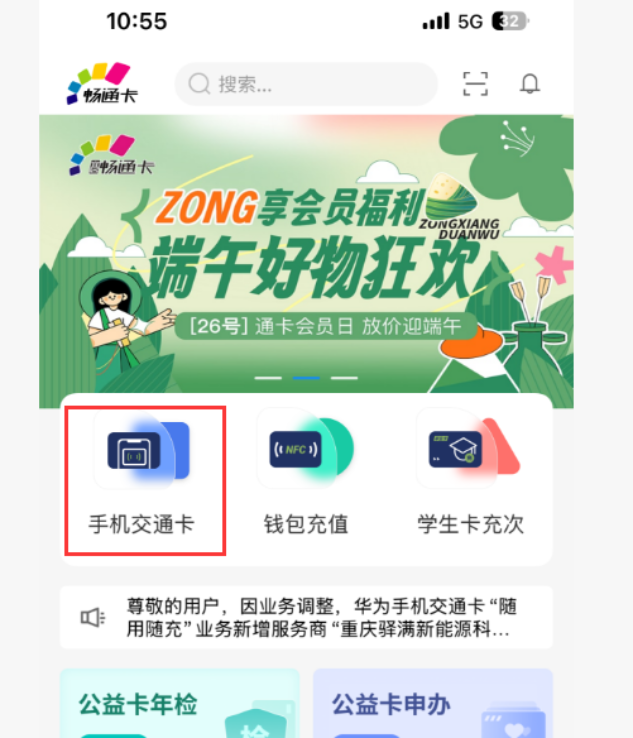
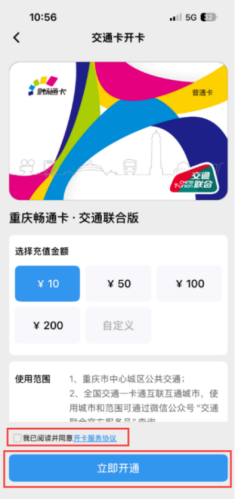
3. Select or enter the top-up amount (minimum RMB10), read and agree to “开卡服务协议” (Card Issuance Service Agreement), and tap “立即开通” (Activate Now).
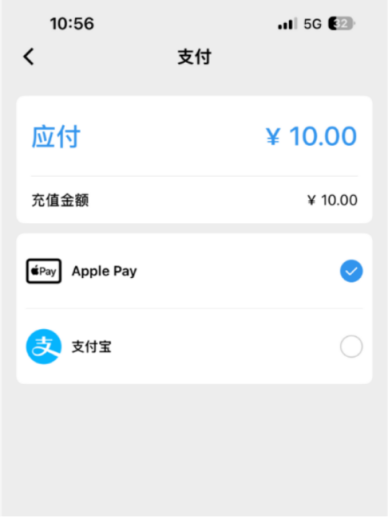
4. Select a payment method for the top-up. Payment will be completed through the corresponding payment service.
5. After successful setup, the activated card information will be displayed in the “手机交通卡” (Mobile Transit Card) section of the “渝通行” (Yutongxing) App. You can then tap to ride.
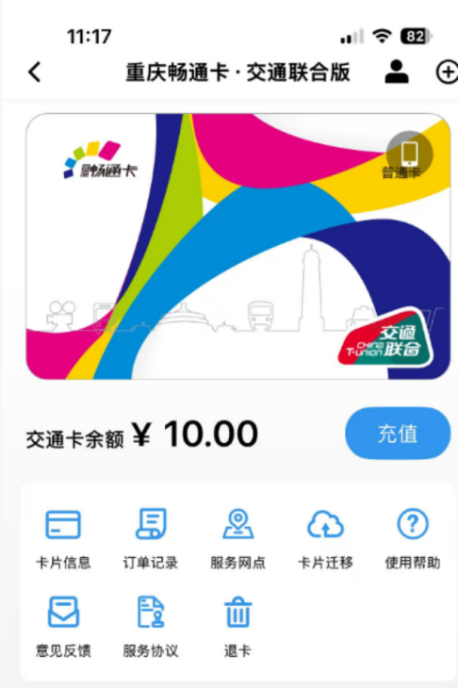
II. For Android Phones
Chongqing Transit Card Company has partnered with seven smartphone brands, namely 1)Huawei, 2)Xiaomi, 3)OPPO, 4)vivo, 5)MEIZU, 6)HONOR and 7)Samsung, to launch virtual transit card services for mobile devices.
The following section uses Huawei devices as an example to introduce two ways to set up a Virtual Chongqing Transit Card on Android phones.
(I) Using Wallet App
1. Open the “钱包” (Wallet) App on your phone.
2. Tap the “+” button in the upper-right corner to add a card.
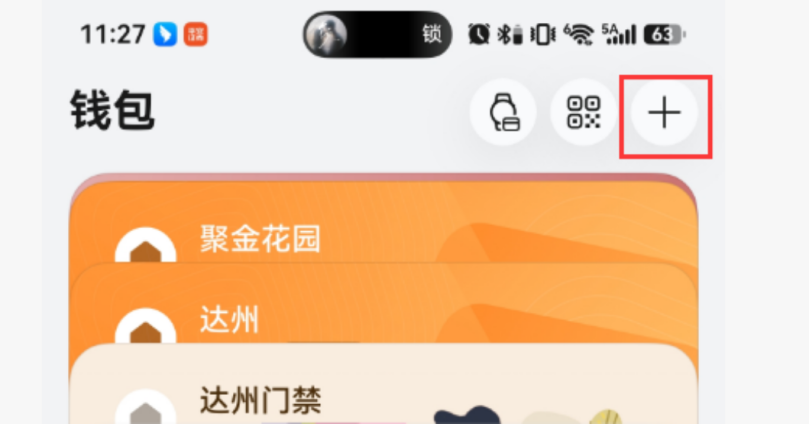
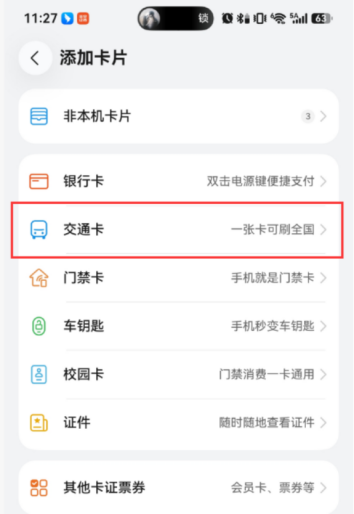
3. Tap the“交通卡” (Transit Card).
4. Select the “重庆畅通卡·交通联合版” (Chongqing Transit Card) to add it. (Note: If location services are enabled on your phone, the choice will be displayed at the top of the recommended list. If location services are disabled, you need to find it from the list below.)
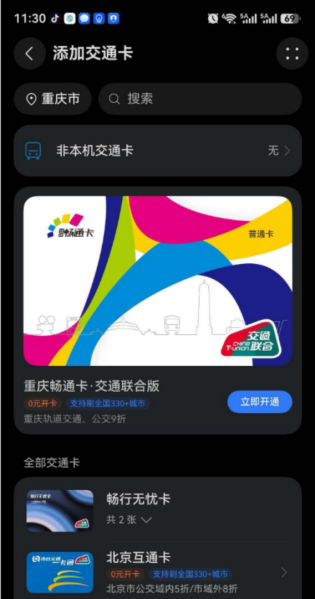
5. Select or enter the top-up amount (minimum RMB10), select a payment method for the top-up, and complete the payment through the corresponding payment service.
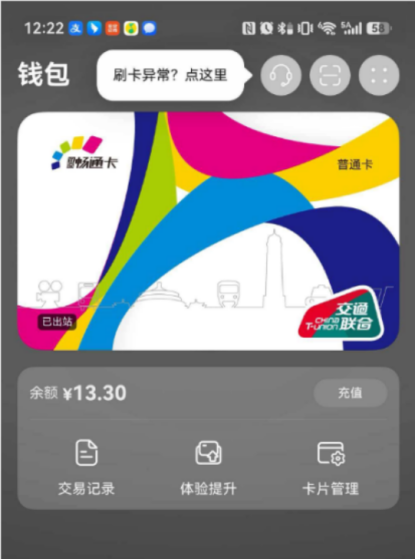
6. After successful setup, “重庆畅通卡·交通联合版” (Chongqing Transit Card) will appear in the card list in the “钱包” (Wallet) App. You can then tap to ride.
(II) Using the “渝通行” (Yutongxing) App
1. Download and open the “渝通行” (Yutongxing) App from your mobile App store.
2. After registering and logging in to the “渝通行” (Yutongxing) App, select “手机交通卡” (Mobile Transit Card).
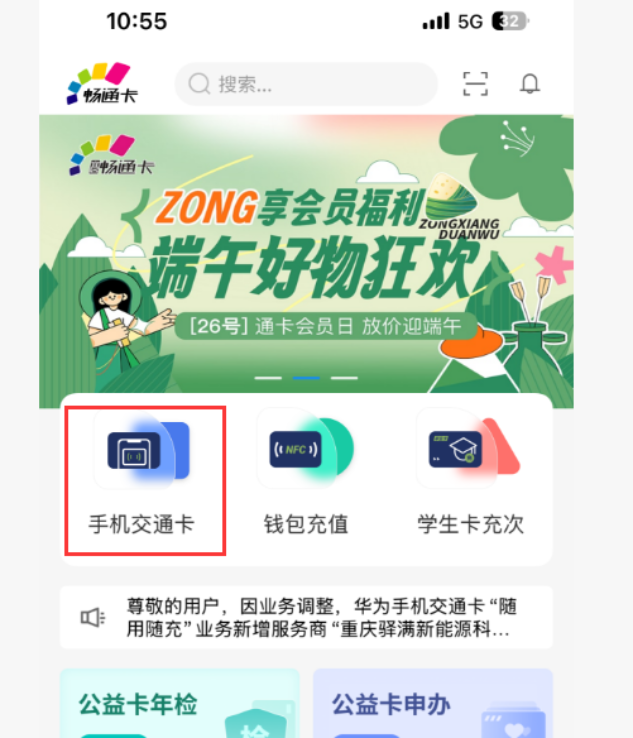
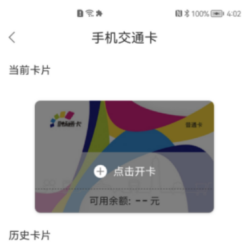
3. Tap “添加卡片” (Add Card).
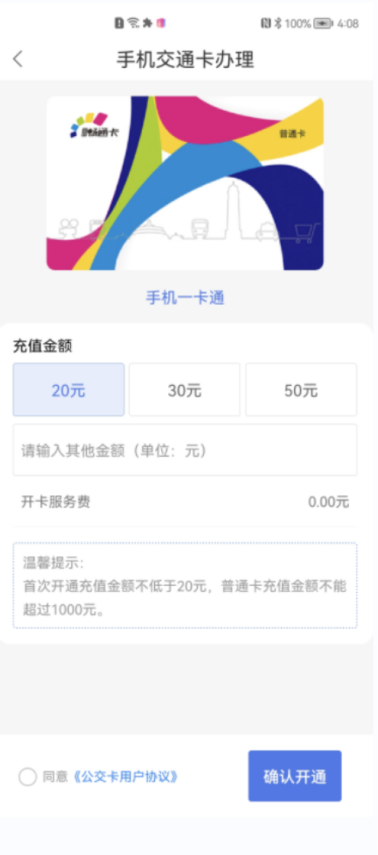
4. Select the top-up amount, read and agree to “开卡服务协议” (Card Issuance Service Agreement), and tap “确认开通” (Confirm Activation).
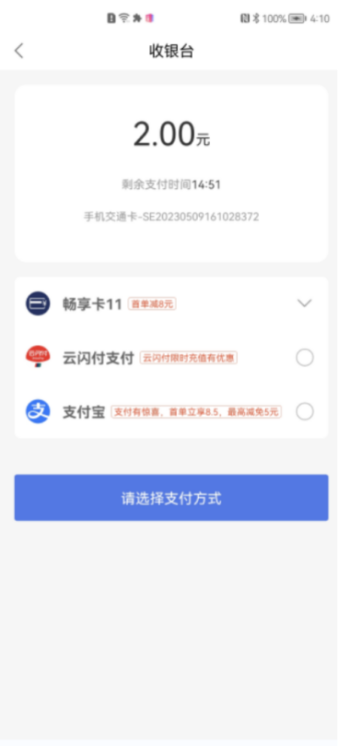
5. Select a payment method and complete the top-up payment.
6. After successful setup, the activated card information will be displayed in the “手机交通卡” (Mobile Transit Card) section of the “渝通行” (Yutongxing) App. You can then tap to ride.